Joget AI Agent Builder
Plugin · Addon Builder
Joget AI Agent Builder enables you to build autonomous AI agents that execute tasks within Joget applications. Features Visual agent builder with prompts, tools, and enhancers Multi-LLM support (OpenAI, Anthropic Claude, Gemini, custom models) Centralized credential management for all AI providers Real-time execution tracking with node viewer Token usage monitoring and audit trails Please refer to the documentation for more information about Joget AI Agent Builder and Joget AI Composer What’s New in This Release (April 2026) 1. AI Central Config merged into Joget AI Agent Builder: AI Central Config is no longer a separate plugin. All LLM configuration is now built into Joget AI Agent Builder. For new users: Install Joget AI Agent Builder. If you already have AI central config installed: Uninstall the old AI Central Config plugin (if installed) Uninstall the old Joget AI Agent Builder plugin (if installed) Install this latest Joget AI Agent Builder plugin Your configurations will be preserved 2. AI Composers - NEW: Build Joget applications through conversation. Five composers (Form, List, Process, UI, Theme) let you create and modify apps via prompts — a new way to vibe compose your Joget apps. 3. Agent Execution Audit Trail & AI Usage Dashboard: All agent runs are now tracked with full execution history, token usage monitoring, and a centralized dashboard to monitor AI activity across your entire Joget platform. Prerequisite Please note that this plugin only supports Enterprise version 8.2.0 onward. An LLM key (Anthropic Claude / OpenAI / Custom models) Versioning 8.1-PREVIEW | Date Released: 27 May 2025 8.1-PREVIEW2 | Date Released: 18 June 2025 8.1.0 | Date Released: 1 August 2025 8.1.1 | Date Released: 23 September 2025 8.1.2 | Date Released: 1 December 2025 8.1.3 | Date Released: 5 February 2026 8.2.0 | Date Released: 19 March 2026 8.2.1 | Date Released: 18 April 2026 8.2.2 | Date Released: 24 June 2026 8.2.2.1 | Date Released: 13 August 2026 - Fixed Gson reflection failure deserializing Enhancer in DX8/DX9 Cloud and Gson reflection failure building AgentTaskMetadata in DX8/DX9 Cloud. 8.2.2.3 | Date Released: 18 September 2026 - Fixed pool HttpClient instances to stop leaking selector threads. 8.2.2.4 | Date Released: 29 September 2026 - Fixed suspected memory leaks in AI Agent Builder and enforce authorization in Central Config ConfigurationPage. 8.2.3 - R14 | Date Released: 5 October 2026 8.2.3.1 | Date Released: 6 November 2026 Disclaimer The app generated by this feature is powered by an AI language model. Please note that the information provided by the AI system is based on patterns in the data it was trained on and may not always be entirely accurate, complete, or up-to-date. The AI model lacks real understanding or consciousness and may produce responses that are incorrect or misleading. It is crucial to independently verify critical information from reliable and authoritative sources. The developers of this feature disclaim any responsibility for the use or interpretation of the AI-generated content. Users are advised to exercise discretion and judgment while interacting with the AI system. By using this generated app, you acknowledge that the AI-generated content is intended for kickstart and reference purposes only and should not be considered professional advice. For specific or expert advice, please consult a qualified professional in the respective field. The developers continuously work to improve the accuracy and reliability of the AI model, but they cannot guarantee the complete elimination of errors or inaccuracies. By using this feature, you agree to these terms and conditions. Please use the plugin responsibly and report any concerns or issues with the generated content to the developers for further improvement.
Email Template Builder
Plugin · Addon Builder
Plugin Overview The Email Template Builder adds a drag-and-drop builder to Joget for designing reusable email templates, the same way the Form Builder designs forms. Instead of hand-writing HTML in the Email Tool's message box, you build the email from blocks, preview it, send yourself a test, and then send it from any process. Templates are built on MJML, the open-source email framework, compiled inside the plugin. The emails come out as table-based HTML that works in Outlook, Gmail and Apple Mail, and layouts adapt to phones. Nothing is sent to an outside service to build the email. More information can be found in the Joget Knowledge Base. Versioning 9.0.0 | Date Released: 30 October 2026
Beanshell API Element
Plugin · Addon Builder
Plugin Overview The Bean Shell API Element allows you to create arbitrary endpoints in API Builder that execute Bean Shell scripts. BeanShell API Element plugin requires API Builder installed on at least Joget DX Version 8. The published API endpoint is publicly accessible for GET and POST request methods. When sending a successful response, your BeanShell script should return org.json.JSONObject that includes a "data" JSON key, which contains the primary data for the response payload. The "data" JSON key may contain either org.json.JSONObject or org.json.JSONArray. For a customized successful response, you will need to provide the "code" and "data" JSON keys. When sending an error response, you may provide a custom error message using the "message" JSON key. The "data" JSON key will be ignored. For more information regarding this plugin, please refer to the Knowledge Base here. Versioning 8.0.0 | Date Released: 12 September 2025 8.0.1 | Date Released: 4 September 2026 - Fixed missing "OK" button to save any edits.
Report Builder Addon For DX
Plugin · Addon Builder
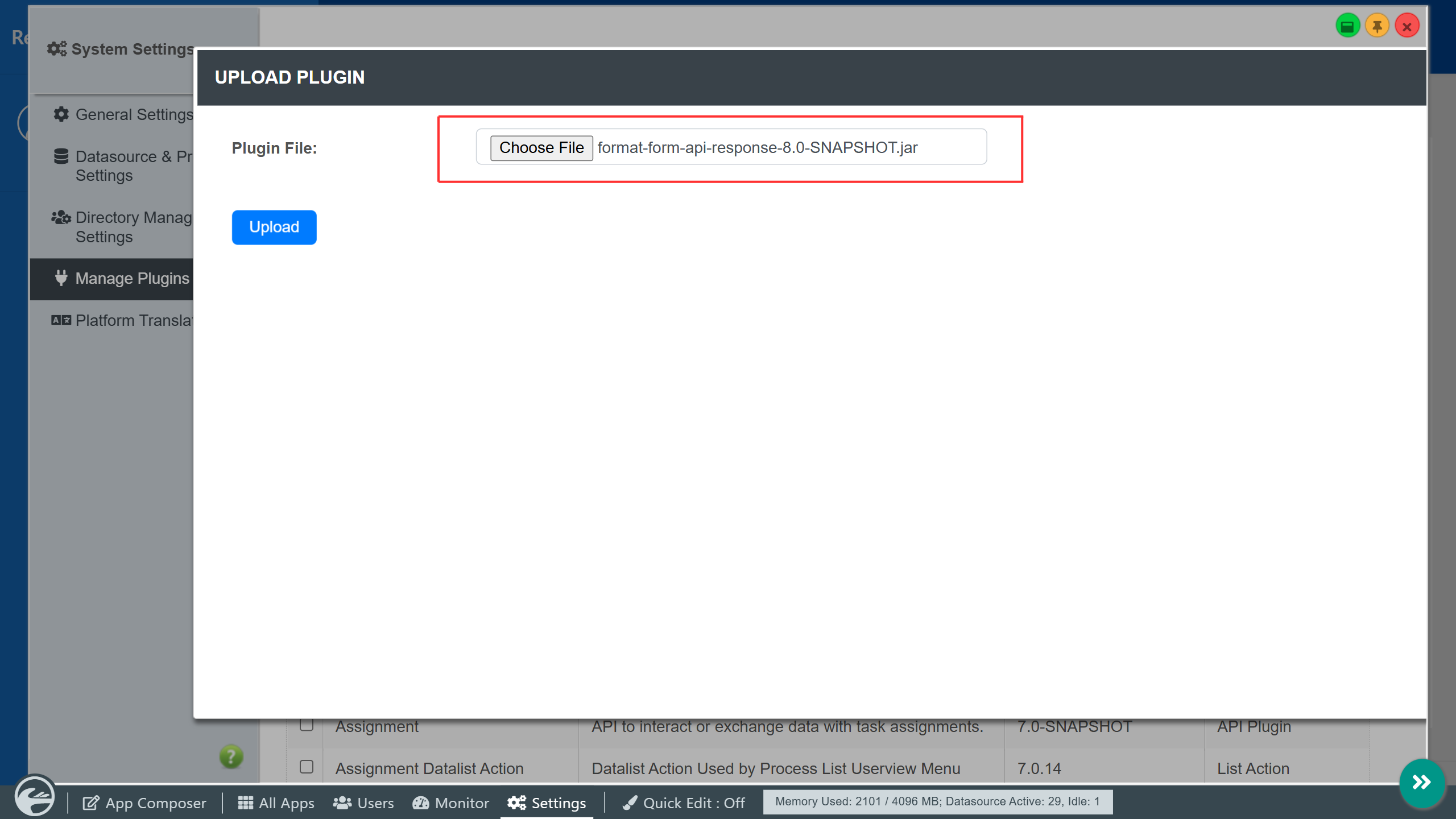
The Report Builder Addon For DX introduces the simple drag-and-drop principle like the Form Builder, as a no-code/low-code solution to create customized reports for Joget apps. This provides a seamless experience for users to create reports instead of using external report building software. Go to the Joget Knowledge Base for more information about the Report Builder . The latest report builder version is report_builder-7.0.13.jar. Requirements This plugin was designed especially for the Joget DX Enterprise and Professional editions. What's New 23-Nov-2020: Various minor bug fixes. 12-Aug-2021: Various minor bug fixes. 17-Dec-2021: Updated with fixes for Arabic fonts and multi-column reports when download to PDF. 17-Dec-2021: Updated with fixes for Arabic fonts. 20-Dec-2021: Updated with fix for blank/empty form field label. 20-May-2022: Updated with new generate report process tool and minor bug fixes. 15-Sep-2022: Released as a stable version 7.0.0. 15-Feb-2023: Updated with fix for Datalist hidden column and report footer total. 14-Jul-2023: Updated with various bug fixes. 2-Feb-2024: Updated with various bug fixes. 19-Jun-2024: Fixed images not loaded for direction RTL. 28-Nov-2024: Fixed List in report builder not populated with data by default. 24-Mar-2025: Fixed Ajax Subform / Subform style properties does not display correctly in the exported file of Report Builder. 10-Apr-2025: Fixed SMS QR Code having wrong schema. 10-Apr-2025: Fixed an issue where custom stylings are not applied to the form. 20-May-2025: Improved logic for wrapWords when handling different languages. 20-May-2025: Added option to configure filename. 19-Aug-2025: Fixed List Report - Fixed HTML rendering from a List element is not working. 7-Jan-2026: Fixed NPE in DownloadReportDatalistAction when using a custom filename for single PDF download. 7-Jan-2026: Fixed Using report param hash variable throws NPE 7-Jan-2026: Fixed expression with reportParam hash variable not working when download report. 7-Jan-2026: Fixed HTML value of a List with formatted columns are not rendered correctly. 7-Jan-2026: Fixed Download report button does not work if no rows selected. 11-May-2026: Fixed pdf distortion in dx9 cloud when element in header. 11-May-2026: Fixed ClientAbortException being triggered upon downloading pdf. 11-May-2026: Fixed typo in tool header. 11-May-2026: Upgrade rhino to 1.8.1 and commons-lang3 to 3.18.0 to address CVE. Steps To Import This Plugin Click "Download" on this plugin screen (It will be a .jar file). Go to your Joget localhost or server, in Joget Console navigate to "Admin Bar > Systems Settings > Manage Plugins" and click "Upload Plugins" button. In "Upload Plugin", select the plugin .jar file you just downloaded, then click "Upload". Return to your app console and you will see a new menu name "Addon Builder" below "Properties & Export". Remember to always uninstall the old plugin before uploading a new version. The Joget Knowledge Base has more information on managing and developing plugins.
 Plugin
 Free
 By Partner
 78 downloads